

Report, Update, and View Your
Immunization Records
Reporting Immunization Records:
Certain vaccines are required to attend school in Ontario. Each time your child receives a vaccine, you are required to update Renfrew County and District Health Unit (RCDHU) or your local health unit.
- If an immunization was received at a RCDHU office or school clinic, RCDHU will already have it on record.
- If an immunization was received with a health care provider, it must be reported to RCDHU by the parent/guardian.
Important: Health care providers and schools do not report immunization records for you. It is your responsibility to update RCDHU each time your child gets a vaccine.
How to Update and Report Records:
To update immunization records with RCDHU, please choose ONE of the methods below.
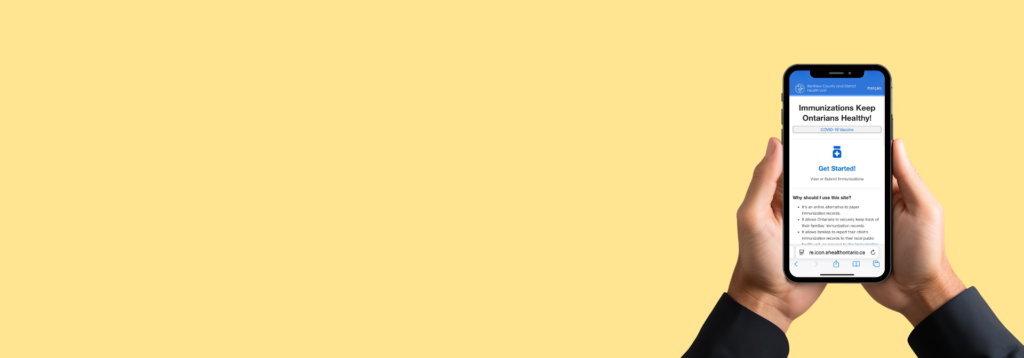
| Online ICON Tool (Preferred method) | Securely update and view your records online through the Immunize Connect Ontario (ICON) tool! Visit: ICON Tool See drop-down sections below for more information on how to use ICON and troubleshooting possible issues. |
| Complete the School Entry Immunization form or Formulaire d’immunisation à la rentrée scolaire. Email the completed form AND a copy of your child’s immunization record to: immunization@rcdhu.com *Please note: Email is not fully secure and may risk data privacy. | |
| Fax | Complete the School Entry Immunization form or Formulaire d’immunisation à la rentrée scolaire. Fax the completed form AND a copy of your child’s immunization record to: 613-735-3067 |
| Complete the School Entry Immunization form or Formulaire d’immunisation à la rentrée scolaire. Mail the completed form AND a copy of your child’s immunization record to mailing address: Renfrew County and District Health Unit 141 Lake Street, Suite 100, Pembroke, ON K8A 5L8 Please note: mailing can take more time and delay the reviewing and updating of the file in the provincial database system. | |
| In-Person | Drop off a copy of your immunization record to Renfrew County and District Health Unit during regular business hours: Monday to Friday, 8 a.m. – 4 p.m. (with the exception of statutory holidays) 141 Lake Street, Pembroke, ON K8A 5L8 |
How to Check Immunization Records:
To view you or your child’s current immunization record and see which vaccines have already been reported to RCDHU, please use the online ICON tool. With ICON you can view, update, and review which vaccine(s) your child needs now and in the future.
Your immunization record will be available on ICON if your record has previously been provided to RCDHU AND if your health card number has been provided to RCDHU.
If you cannot find your immunization record online, please contact your health care provider to get a copy of your record.
To view the list of required immunizations, visit: Ontario’s Routine Immunization Schedule.
Help Submitting Records:
If you have questions or need further assistance submitting or accessing immunization records, please contact:
- 613-732-9436 or 1-833-773-0004
- immunization@rcdhu.com
How to Use ICON
ICON is a secure online tool families can use to report and view Immunization records for your child or yourself.
How to Use ICON:
You will need to create an account and set a PIN. To do this, you will need one of the following:
- Ontario Health Card (OHIP) AND Postal Code (these must be on file with RCDHU)
OR
- Ontario Immunization ID (OIID): This number is included in any Immunization letter you may have received from RCDHU.
To get your OIID and assistance setting your PIN, please contact: 613-732-9436 or 1-833-773-0004.
Important: When submitting records on ICON, please upload a picture of your record so RCDHU can verify that the correct vaccine is entered.
Troubleshooting Issues with ICON
Forgotten or Incorrect PIN number:
If you are trying to access the ICON tool for you or your child and have forgotten your PIN, or have entered an incorrect PIN, please click “Forgot PIN” to reset the PIN number.
If you receive an error message, it may be because:
- the PIN was created when your child was younger than 16 years of age and now the child/student is now 16 or older;
- there is no health card number on file;
- the address on file is incorrect or outdated; OR
- there is a typo in one of the fields or the wrong PIN was entered.
To fix this issue and get access to your account, you need to reset your PIN by calling RCDHU at 613-732-9436. RCDHU staff will reset your PIN and guide you through the next steps.